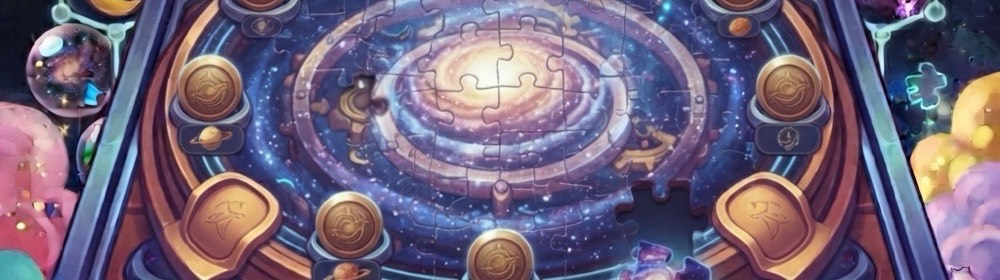
The picture is cut into a grid and the pieces are scrambled. Tap one piece, then another, and the two trade places. A piece sitting in its correct slot picks up a green outline, so you always know where you stand. Three pictures, three sizes, a clock that starts on your first tap, and a preview button for when you are stuck.
- Moves 0
- Time 0:00
- Best —
How to play Cosmic Jigsaw
Quick start
- Tap a piece. It lifts and picks up a gold ring.
- Tap a second piece anywhere on the board. The two swap places.
- A piece that lands in its correct slot gains a green outline.
- Get every piece home. Your best score is your fastest time at that size.
- Pick a different picture from the three thumbnails, or press Shuffle to scramble the one you are on.
How it works
Controls
- Mouse or trackpad
- Click a piece to pick it up, then click any other piece to swap the two. Clicking the same piece again puts it down. The three thumbnails under the board switch pictures.
- Touch
- Tap a piece, then tap another. There is no dragging, so nothing slips out from under your finger.
- Keyboard
- Tab to the board, move between pieces with the arrow keys, and press Space or Enter to pick one up and then swap. Escape puts a piece back down. Only the focused piece is in the tab order, so Tab moves past the board rather than through all twenty-five squares.
Tips
- Start with the corners and the edges. They have the fewest possible neighbours, so they are the easiest pieces to place with certainty.
- Look for a swap that sends both pieces home at once. Every swap moves two pieces, and the fast solves are the ones where both of them land right.
- The green outline is doing real work — scan for pieces that are already home and stop moving them.
- The preview button shows the finished picture, but it does not pause the clock. Use it before you start, or accept the seconds it costs.
- Three by three is nine pieces and forgiving. Five by five is twenty-five, and each size keeps its own best time.
- The three pictures are not equally easy. Moonrise has a big smiling moon and clear cloud bands to anchor on; the Clockwork Orrery is dense with brass gears and gives you far less to grip.
Frequently asked questions
How do I move a piece?
Tap one piece and then tap another, and the two trade places. There is no dragging, which keeps the game workable on a touchscreen.
What sizes can I play?
Three by three, four by four, and five by five — nine, sixteen or twenty-five pieces. Each size keeps its own best time.
Can I choose the picture?
Yes. Three thumbnails under the board switch between the Star Chart, the Clockwork Orrery, and Moonrise. Picking one shuffles it straight away, and Shuffle rescrambles whichever picture you are already on.
Could the puzzle start already solved, or nearly solved?
No. A shuffle is thrown away unless it is unsolved and leaves at most a quarter of the pieces already in the right slot. If the shuffler somehow cannot find one, it falls back to a rotation that puts every single piece in the wrong place.
What does the green outline mean?
That piece is sitting in its correct slot. It is the only hint the board gives you, and it updates after every swap.
Does the preview pause the timer?
No. The preview shows the finished picture at any time, but the clock keeps running while it is open.
Is my best score a time or a move count?
Your fastest time, stored separately for each of the three sizes on this device.
Is this gambling?
No. Nothing is wagered, nothing is won, and no score converts into money or a prize. It is a picture puzzle against a clock.